
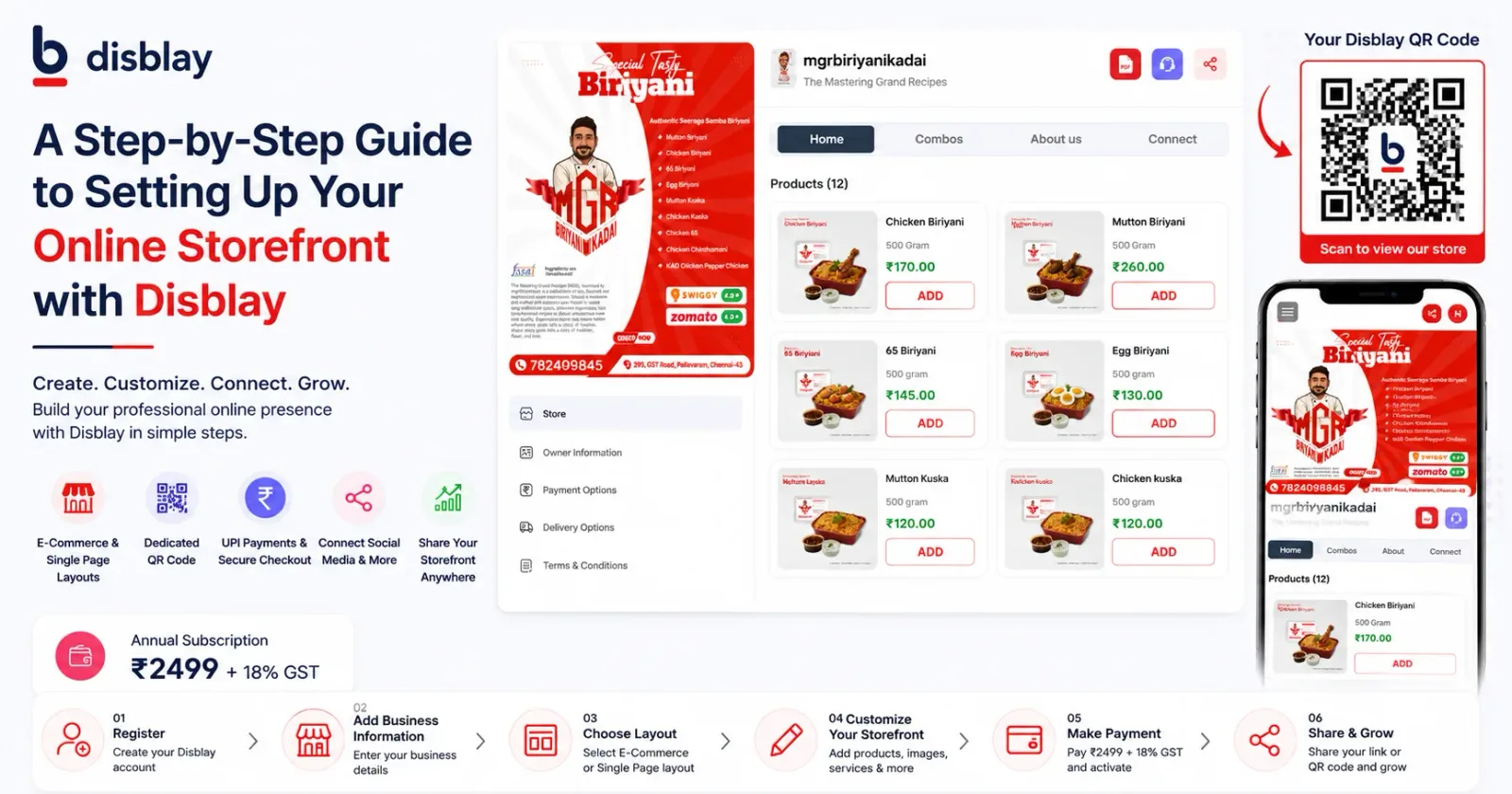
A Step-by-Step Guide to Setting Up Your Online Storefront with Disblay
Building a professional online storefront no longer requires expensive website development, coding knowledge, or months of setup time. With Disblay, businesses can create a digital storefront quickly using either an E-Commerce Layout or a Single Page Layout based on their business needs.
Whether you run a retail shop, restaurant, boutique, service business, educational institution, or local brand, Disblay helps you launch a professional digital presence within minutes.
The annual subscription cost for a Disblay storefront is ₹2,499 + 18% GST.
Why Businesses Need an Online Storefront
Modern customers search online before visiting or contacting a business. A digital storefront helps businesses showcase products or services, connect social media profiles, receive inquiries, collect customer leads, and improve online visibility.
Disblay acts as an offline-to-online bridge by helping businesses connect QR codes, social media platforms, product catalogs, and customer interactions in one centralized digital space.
Step 1: Register on Disblay
Visit Disblay.com and create your business account. The registration process is simple and designed for business owners without technical knowledge.
Once registered, you can begin setting up your digital storefront immediately.
Step 2: Enter Business Information
Add your business details, including:
Business Name
Mobile Number
Business Category
Location Information
About Your Business
This information helps create your professional online identity and improves local visibility.
Step 3: Verify Your Mobile Number
Disblay uses OTP verification for quick and secure account activation. Once verified, you can continue setting up your business storefront.
Step 4: Create Your Business Subdomain
Choose a custom branded subdomain such as:
disblay.com/yourbusinessname
Your branded link becomes your shareable digital business page across social media, WhatsApp, QR codes, and marketing campaigns.
Step 5: Choose Your Storefront Layout
E-Commerce Layout
The E-Commerce Layout is designed for product-based businesses that want to showcase and sell products online.
Features include:
Up to 20 products or services
4 image variants per product
Add-to-cart functionality
Order management
UPI payment integration
Social media integration
Combo product grouping
Multiple branch support
Disblay’s E-Commerce Layout helps businesses create a lightweight and conversion-friendly online storefront experience.
Single Page Layout
The Single Page Layout is ideal for service-based businesses that want a focused and professional online presence.
Features include:
Hero banners
Gallery section
Service showcase
Team profiles
Certificates and credentials
PDF brochure attachments
Custom payment QR codes
Detailed business description
This layout works well for consultants, educational institutions, agencies, clinics, salons, and service providers.
Step 6: Upload Products, Services, and Media
Add your product images, service details, banners, brochures, videos, pricing information, and social media links.
Disblay supports multiple creative assets to help businesses create a visually professional digital storefront experience.
Step 7: Connect Payment Options
Businesses can connect payment methods directly into their storefront.
Depending on the layout selected, you can use:
UPI Payment Integration
Bank Details
Custom QR Code Payments
This helps customers make inquiries or payments easily from one place.
Step 8: Add Social Media and Business Links
Disblay allows businesses to connect multiple digital platforms into one centralized storefront.
You can add links for:
Instagram
Facebook
WhatsApp
YouTube
Google Business Profile
Zomato
Swiggy
LinkedIn
This creates a stronger digital presence and improves customer accessibility.
Step 9: Complete Payment and Activate Your Storefront
After setup, complete the subscription payment of ₹2,499 + 18% GST through the secure payment gateway.
Your business storefront gets activated instantly after successful payment.
Step 10: Share Your Storefront and QR Code
Once activated, Disblay provides your business link and QR code for sharing across:
Business cards
Posters
Packaging
WhatsApp
Social media
Offline marketing materials
This helps businesses convert offline visitors into online customers using a simple digital access point.
Why Businesses Choose Disblay
Disblay combines digital storefront management, social media connectivity, QR code integration, customer engagement, and online branding into one easy-to-manage platform.
Key advantages include:
Fast setup process
No coding required
Mobile-friendly storefronts
SEO-friendly structure
Built-in lead generation
Push notification support
QR code integration
Easy content management
Businesses can update products, offers, pricing, and content anytime without needing a developer.
Final Thoughts
Creating a professional online storefront no longer needs heavy investment or complicated development.
With Disblay’s E-Commerce Layout and Single Page Layout, businesses can launch a complete digital presence quickly, connect customers across multiple platforms, and improve online visibility through one centralized business page.
Start building your online storefront today with Disblay and create your professional digital business presence in just minutes.